Tools and memory: what your agent can reach and what it remembers
An agent is only as capable as its tools and only as consistent as its memory. How to design tools it can use correctly, and the three kinds of memory worth knowing about.
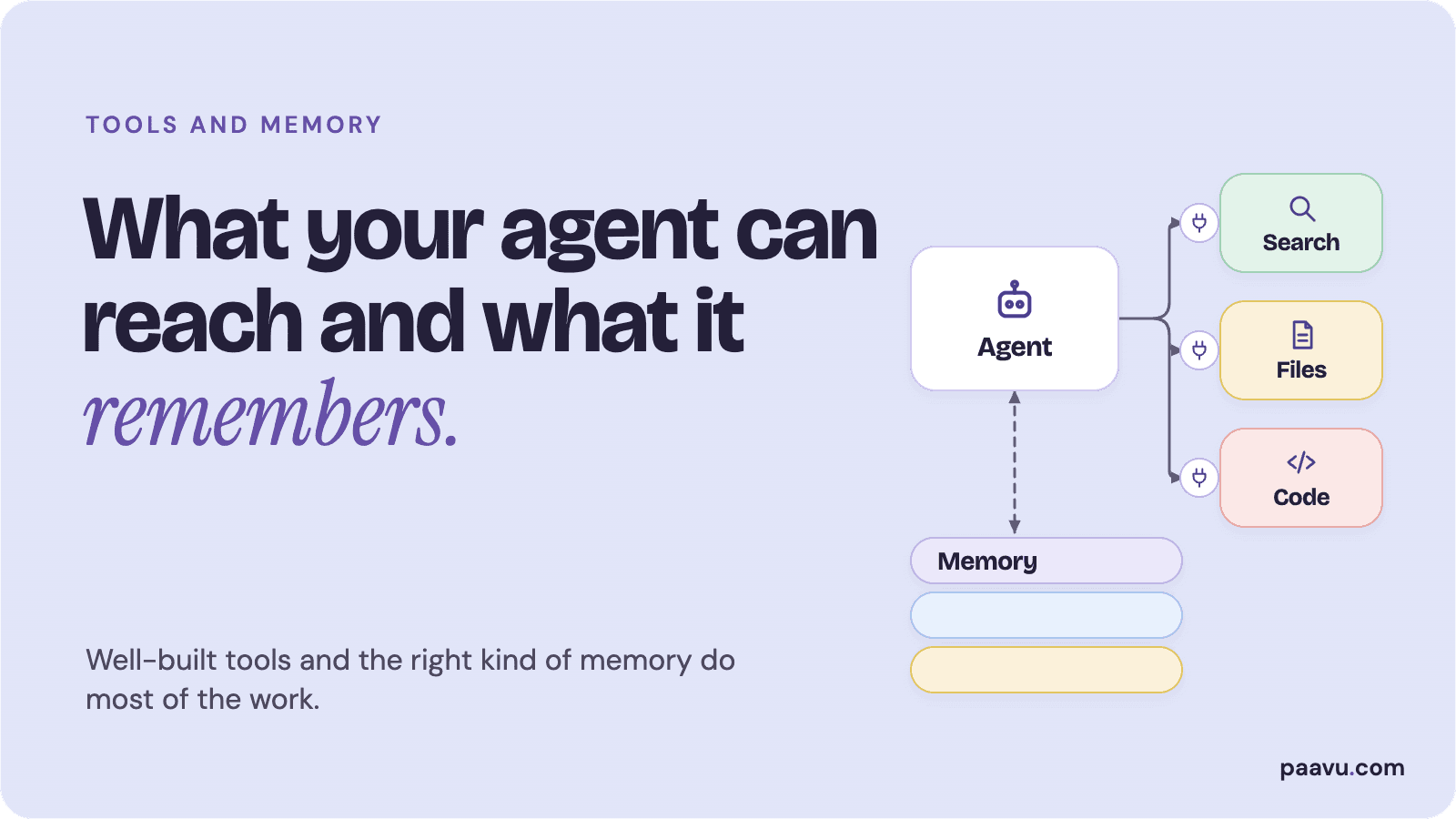
When an agent misbehaves, the model usually gets the blame. Often the real cause is smaller: a tool with a vague name, an input that accepts anything, or an agent that has forgotten something it was told ten minutes ago. Two areas, tools and memory, explain a large share of those failures.
Tools the agent can actually use
A tool is an interface for a model, and the model reads it the way a new colleague would. Anything unclear gets guessed at.
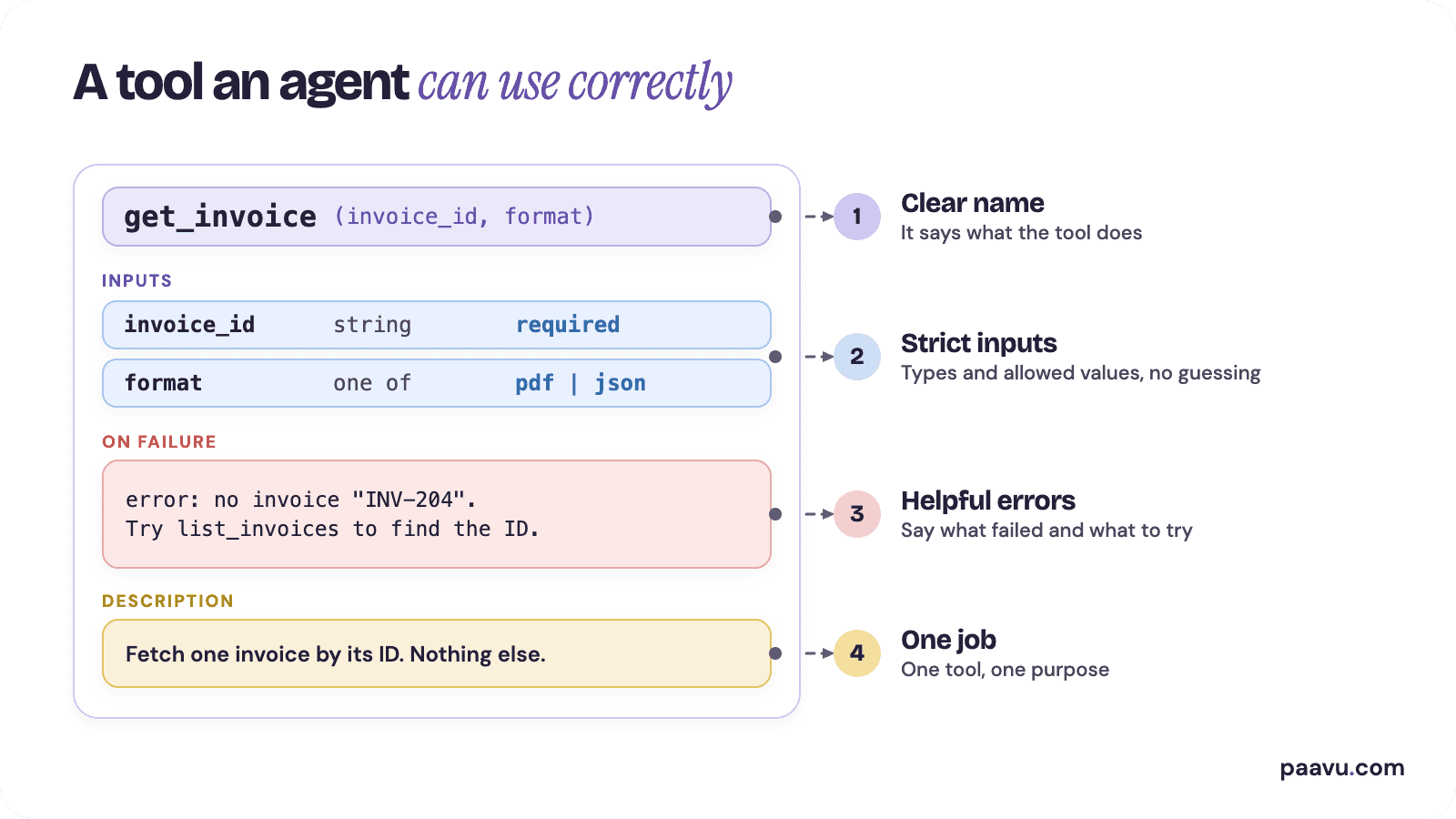
- A clear name.
get_invoicetells the model what it does.processdoes not. - Strict inputs. Use a typed schema with required fields and allowed values, so a bad call fails fast instead of doing something odd.
- Helpful errors. Say what went wrong and what to try next. An error the agent can read is an error it can recover from.
- One job. Small tools combine well. A single tool that does five things gets misused.
Three kinds of memory
Dumping everything into one long context is the simplest design and the first to break. It helps to separate what the agent needs right now from what it should keep.
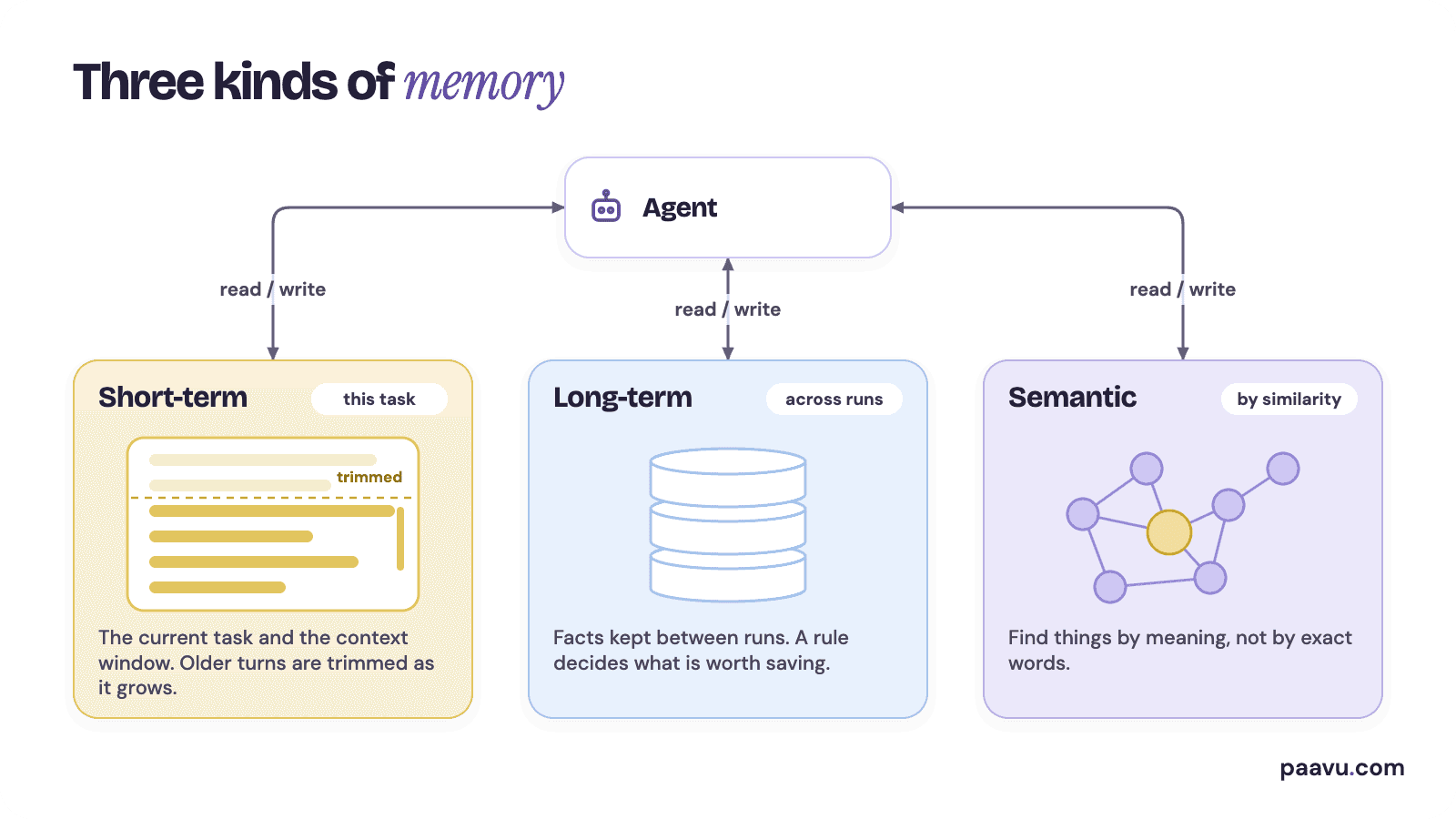
- Short-term. The state of the current task: steps taken and their results. This lives in the context window and should be trimmed as it grows.
- Long-term. Facts worth keeping between runs, such as a customer's preferences, a decision that was made, or what happened last time. This needs somewhere to write to and a rule for what is worth saving.
- Semantic. A way to find related material by meaning, not exact words, so the agent can pull the right note from a large store when it needs it.
The skill is in deciding what to write down. Memory that stores everything becomes noise, and the agent retrieves the wrong thing with confidence.
A quick check
Pick one task your agent gets wrong. Read the tool it called as if you had never seen it: is the name clear, are the inputs tight, would the error help? Then ask whether it had the facts it needed, or whether they were buried, trimmed or never saved. One of those two usually explains it.
For the surrounding setup see the harness, and for the full set of skills, the ten skills overview.
If you want help with this on your own workflows, get in touch and we will look at it together.