Agents that know when to stop
An agent that repeats actions until a goal is met can also repeat them forever. Four rules that keep the loop finite, cheap and easy to debug.
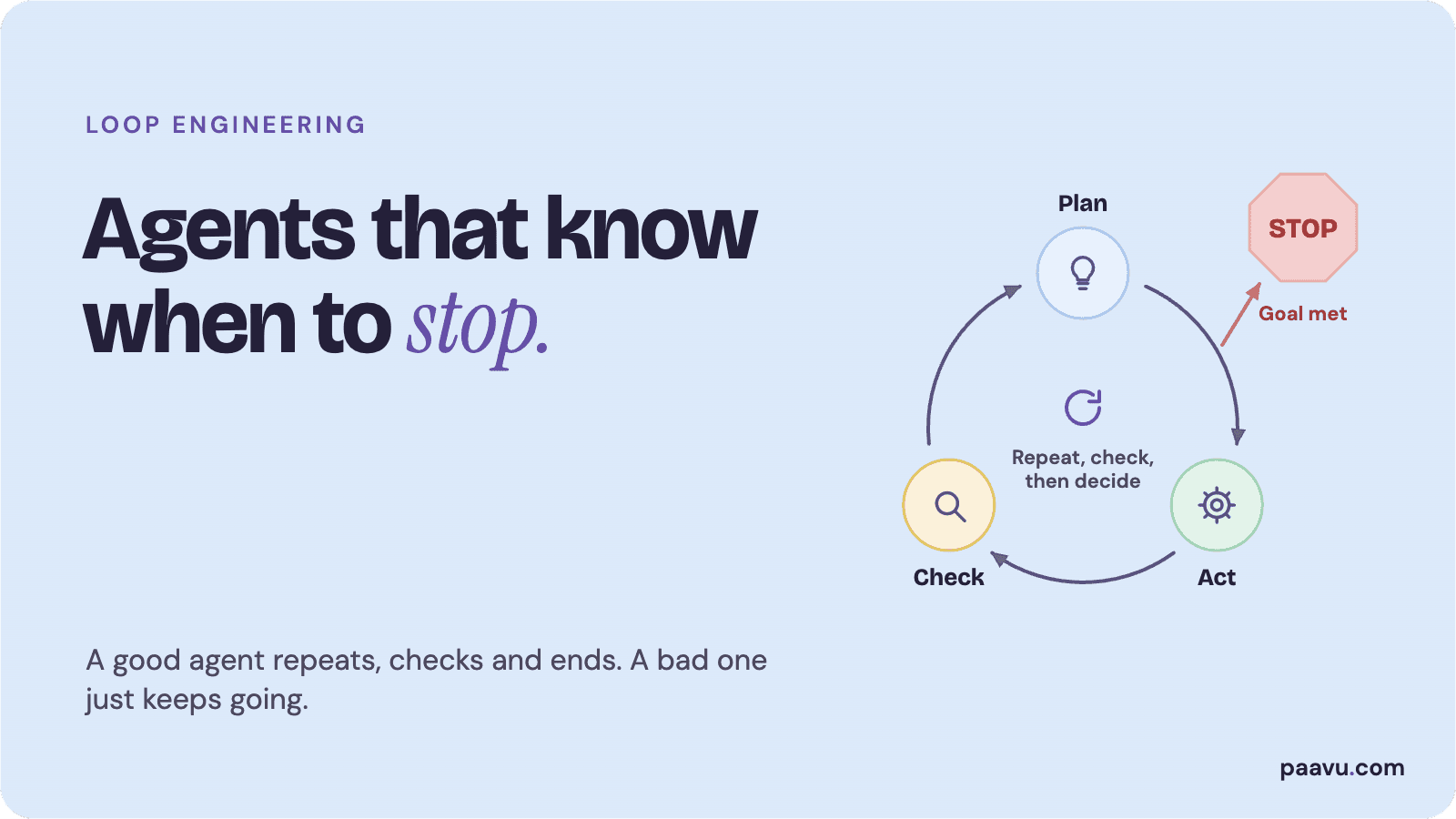
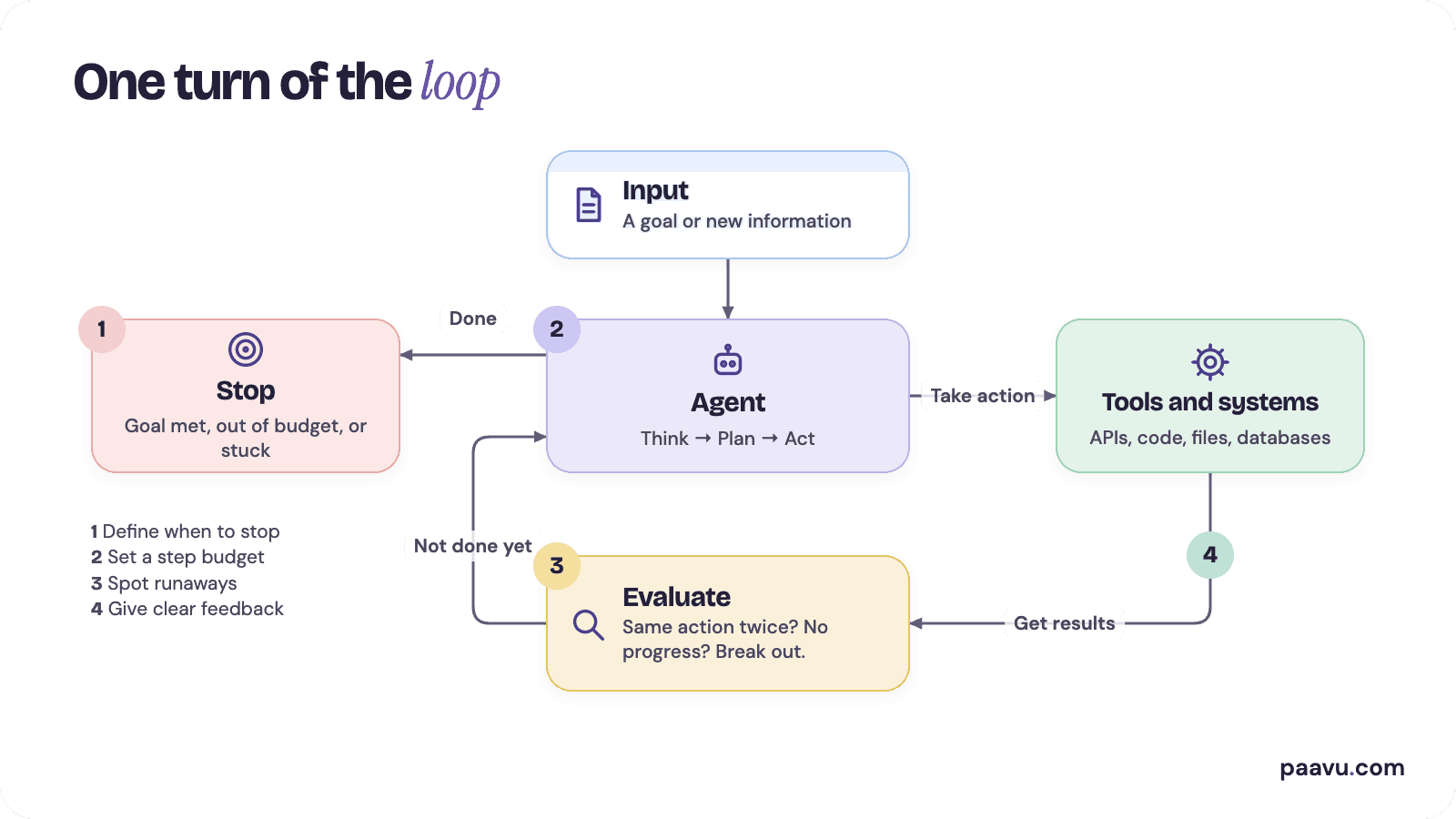
What makes an agent different from a script is the loop. It looks at the situation, takes a step, sees what happened and decides what to do next. That freedom is the point, and it is also how an agent ends up calling the same API two hundred times at three in the morning.
Designing the loop is mostly about deciding how it ends.
Four rules that keep it finite
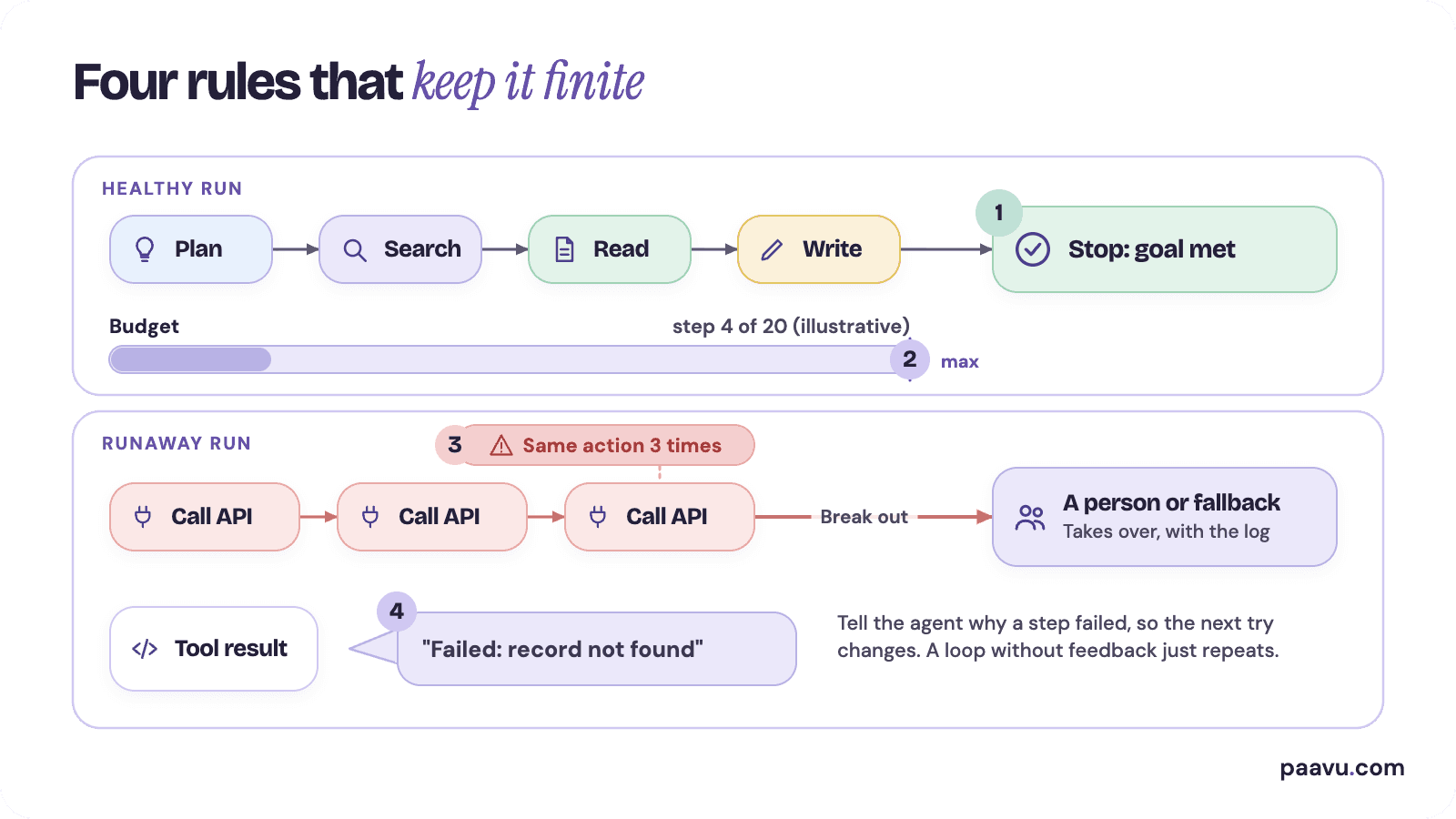
1. Define when to stop. Write the exit conditions down before building anything: the goal is met, a step limit is reached, confidence is low, or the same error keeps recurring. An agent with no stop rule will invent its own.
2. Set a budget. Cap the number of steps, the time and the spend for a single run. A bad run should cost a few cents and end with a clear message, not run up a bill.
3. Spot runaways. Look for the signs: the same action repeated, the same result returned, no progress between rounds. When you see them, break out of the loop and hand over to a person or a fallback.
4. Give clear feedback. The agent decides its next step from what it observes. If a tool returns a vague result, the agent will guess. Return specific, structured results, including what failed and why.
Check progress, not just activity
An agent that is busy is not necessarily getting anywhere. At the end of each round, ask a plain question: is this closer to the goal than the last round? If not twice in a row, that is a signal to stop or change approach.
A small test
Take one task and deliberately make it impossible, for example by asking for a record that does not exist. A well-designed loop recognises it cannot succeed and ends with a useful explanation. A poorly designed one keeps trying.
The loop runs inside a larger setup, described in the harness post, and you can see how it fits with the rest in the ten skills overview.
If you want help with this on your own workflows, get in touch and we will look at it together.